Email Bulk Manager for Listeo is a WordPress admin tool that lets you control the "Show contact widget" setting for Listeo listings in bulk instead of one by one.
What it does
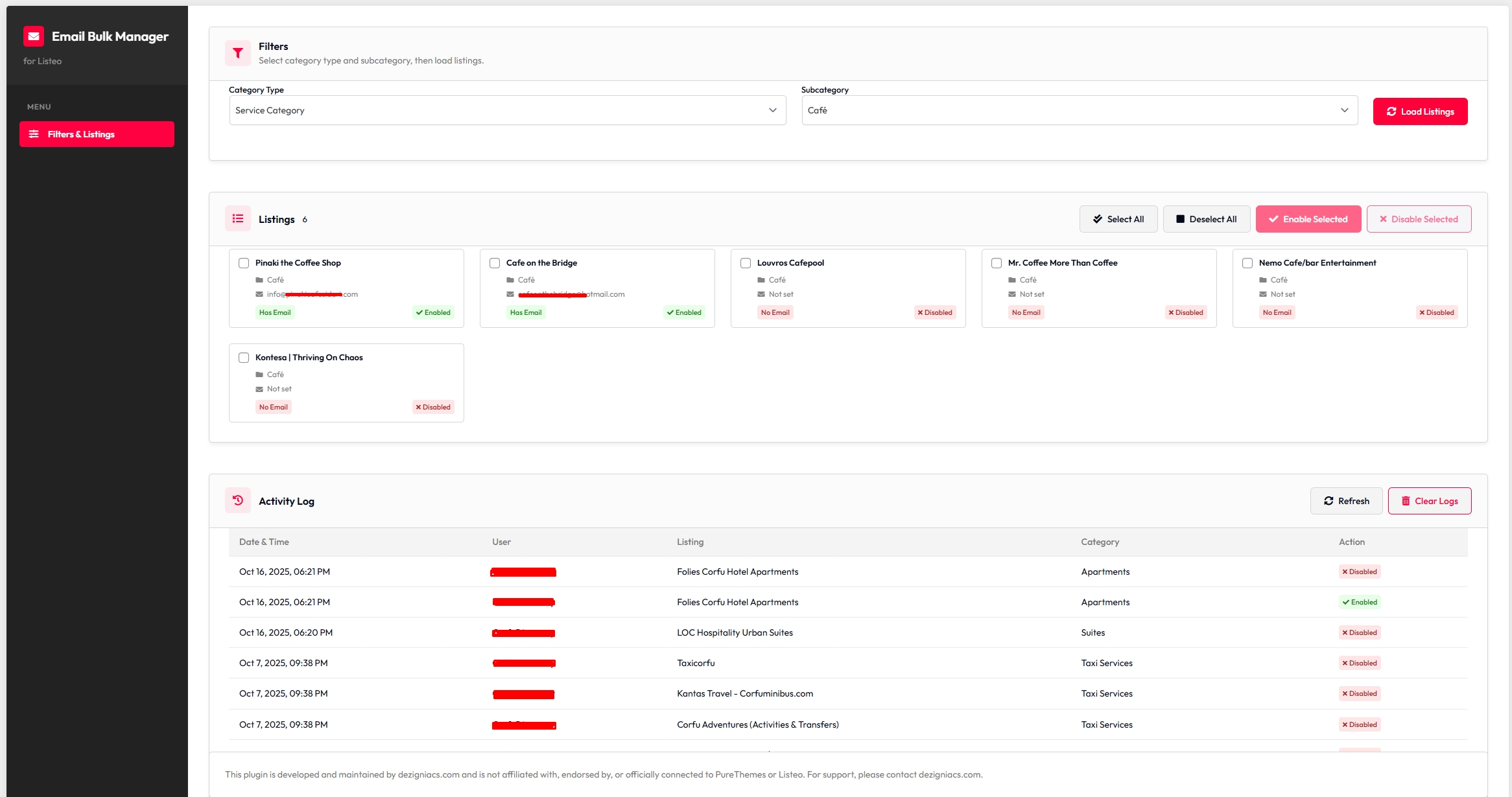
Filter listings by category type (Events, Services, Rentals, Classifieds) and subcategory.
Load all listings that match your filters in a clear, card-based list.
See at a glance which listings have an email, which have the contact widget enabled or disabled, and open each listing on the frontend.
Select multiple listings (or use "Select all" / "Deselect all") and enable or disable the contact widget for all of them in one action.
Keep a full activity log of who did what and when (user, listing, category, action, date/time). You can refresh or clear the log from the same screen.
Who it's for
Listeo site admins who have many listings and want to turn the contact widget on or off by category (e.g. "enable for all Restaurant listings" or "disable for listings without email").
Anyone who needs a simple audit trail of bulk contact-widget changes.
Technical notes
Works only when the Listeo theme (or a Listeo child theme) is active.
Uses the same modern admin UI style as Listeo Core (sidebar, blocks, buttons).
No core or theme files are modified; it uses standard WordPress and Listeo data (listings, taxonomies, post meta).
Translation-ready (.pot included).
What it does
Filter listings by category type (Events, Services, Rentals, Classifieds) and subcategory.
Load all listings that match your filters in a clear, card-based list.
See at a glance which listings have an email, which have the contact widget enabled or disabled, and open each listing on the frontend.
Select multiple listings (or use "Select all" / "Deselect all") and enable or disable the contact widget for all of them in one action.
Keep a full activity log of who did what and when (user, listing, category, action, date/time). You can refresh or clear the log from the same screen.
Who it's for
Listeo site admins who have many listings and want to turn the contact widget on or off by category (e.g. "enable for all Restaurant listings" or "disable for listings without email").
Anyone who needs a simple audit trail of bulk contact-widget changes.
Technical notes
Works only when the Listeo theme (or a Listeo child theme) is active.
Uses the same modern admin UI style as Listeo Core (sidebar, blocks, buttons).
No core or theme files are modified; it uses standard WordPress and Listeo data (listings, taxonomies, post meta).
Translation-ready (.pot included).